TLDR: Knowing how to automate GRC processes starts with mapping a risk or compliance workflow and picking high-volume, rule-based tasks. Use a no-code platform to run assessments, approvals, and evidence collection. AI agents then draft, flag, and test controls at machine speed, while people keep ownership of risk decisions.
This blog explains how to automate GRC processes, which governance, risk, and compliance workflows to prioritize first, and how AI and workflow tools fit together. It also covers a 7-step method and how to measure ROI.
What Does It Mean to Automate GRC Processes?
A GRC process is a structured sequence of tasks, decisions, and evidence that supports governance, risk management, compliance, or audit. Examples include vendor risk assessments, control testing, and policy attestations. Every GRC process has four parts: inputs, activities, outputs, and stakeholders.
Automating a GRC process means using technology to run recurring tasks, workflows, and approvals (with humans driving the strategy and approvals). Instead of chasing evidence over email or copying data between spreadsheets, the workflow advances on rules you define.
Three related terms often get mixed up:
- GRC workflow automation: Using technology to run recurring risk, compliance, and audit workflows, approvals, and tasks automatically.
- Business process management (BPM): A broader discipline for analyzing, designing, and improving how work gets done. The ABPMP maintains the BPM body of knowledge.
- Robotic process automation (RPA): Software bots that replicate repetitive, rule-based actions a person performs on a screen.
Workflow automation makes GRC processes run without redundant, menial effort. BPM makes them better. RPA mimics specific human actions but does not understand risk context.
Why Does Process Automation Matter for Risk and Compliance Teams?
Manual GRC processes do not scale. As an organization grows, assessments, control reviews, evidence requests, and handoffs multiply, and so do delays, errors, and inconsistencies.
Automation cuts time spent on repetitive tasks and removes manual data entry. The McKinsey Global Institute estimates that generative AI and other technologies could automate work activities that absorb 60 to 70 percent of employees’ time today.
For risk, compliance, and audit teams, the stakes are higher. Regulations keep expanding, audit cycles keep tightening, and a missed control or late evidence submission carries real cost.
The benefits of GRC process automation typically include:
- Reduced manual effort: Less time on data entry, evidence chasing, and status checks.
- Improved consistency: Assessments and reviews run the same way every time.
- Faster turnaround: Tasks move forward instead of waiting in inboxes.
- Better auditability: Every action is logged and traceable for auditors and regulators.
- Scalability: Teams handle more vendors, controls, and obligations without proportional headcount.
Which GRC Processes Can You Automate?
GRC teams run work across several connected domains. Automation applies to all of them, but most automated GRC workflows fall into a few areas. This isn’t an exhaustive list, but it does represent some of the most common use cases.
Third-Party Risk Management
Vendor intake, due diligence, risk tiering, and reassessments involve many handoffs and documents. Automated routing and AI-assisted review keep vendor reviews moving as the third-party portfolio grows.
Enterprise Risk Management
Risk identification, assessment, scoring, and register updates follow a repeatable cycle. Automation keeps risk owners on schedule and rolls findings up for enterprise-wide reporting.
Controls and Compliance
Control testing, evidence collection, and regulatory mapping are high-volume and rule-based. Automating them moves teams from point-in-time checks toward continuous assurance.
AI Governance
AI use case intake, risk classification, and compliance monitoring create administrative friction as adoption grows. Automated workflows and AI agents streamline intake and map risks to frameworks like the NIST AI RMF and EU AI Act. Agents also evaluate controls at machine speed, while people keep oversight of every risk decision.
Cyber Risk Management
Tracking vulnerabilities, control testing, and incident responses across expanding attack surfaces requires continuous coordination. Automating evidence collection, risk scoring, and remediation routing evaluates cyber threats consistently. It also feeds them directly into enterprise-wide risk reporting.
Internal Audit
Audit planning, evidence requests, workpapers, and issue tracking depend on timely follow-up. Automated workflows keep requests and remediation tasks from stalling.
Policy and Business Continuity Management
Policy reviews, attestations, and continuity plan updates run on fixed cycles with many stakeholders. Automation keeps owners accountable and creates a clear record of who acknowledged what.
What Are Examples of Automated GRC Processes?
Concrete examples show what automation looks like in practice. These are GRC workflows organizations commonly automate.
Automated Control Testing
In controls and compliance, automated control testing lets AI upload evidence and return pass, fail, or incomplete with a rationale. A human validates each result, so review shifts from point-in-time to continuous.
In the IDC MarketScape: Worldwide Third-Party Risk Management Software 2026 Vendor Assessment (IDC doc #US53007725, September 2026), IDC calls out automated control testing as a key differentiator. Per IDC, the feature tests vendor control evidence at the moment of upload and returns pass, fail, or incomplete with testing rationale.
Vendor Onboarding and Third-Party Risk Reviews
In third-party risk management, a vendor intake form can trigger a risk assessment, assign due diligence tasks, and route the vendor through approval by risk tier. This matters most for organizations managing hundreds of third parties.
Risk Assessments and Register Updates
In enterprise risk management, a scheduled workflow can send assessments to risk owners, collect scores, and escalate overdue responses. Results flow into the risk register without manual consolidation.
AI Use Case Intake and Risk Classification
In AI governance, a request triggers classification and routes the use case by risk tier. Workflows map it to the NIST AI RMF and EU AI Act. AI agents help pre-fill intake while governance reviewers keep the approval decision.
Vulnerability Tracking and Incident Response
In cyber risk management, s finding triggers a risk score, assigns remediation to an owner, and escalates past the deadline. Control evidence is collected on a schedule and rolls up into enterprise-wide risk reporting.
Audit Evidence Requests and Issue Remediation
In an internal audit process, a workflow can request evidence from control owners, track submissions, and open remediation tasks when gaps appear. Auditors see status in one place instead of across email threads.
Policy Attestation and Regulatory Reporting
In policy management, acknowledgment reminders, attestation tracking, and compliance reports can be generated and distributed automatically. Nothing depends on someone remembering to send them.
How to Automate GRC Processes: 7 Steps
Understanding how to automate GRC processes does not require a massive transformation project. The right tooling will ensure you have the flexibility needed to implement your existing processes and a repeatable method moves you from manual to automated in a structured way.
Step 1: Map the Current GRC Process End to End
Document the existing workflow before you automate anything. Identify every input, control, evidence source, handoff, and decision point.
Step 2: Identify Automation Opportunities and Prioritize
Look for high-volume, repetitive, or error-prone tasks such as evidence collection or vendor intake. Prioritize by risk impact and feasibility, and start where results come quickly.
Step 3: Define Clear Goals and Success Metrics
Decide what success looks like: shorter assessment cycles, faster control testing, or fewer manual hours. Set measurable goals before you build.
Step 4: Select the Right GRC Automation Platform
Evaluate platforms on no-code flexibility, integrations, and fit for GRC use cases. The best platforms let risk and compliance teams configure workflows without waiting on IT.
Step 5: Build and Configure the Automated Workflow
Set up triggers, conditions, actions, and notifications. No-code platforms make this accessible to non-technical users and quick time-to-value.
Step 6: Test, Validate, and Roll Out
Run the workflow in a controlled environment first. Verify outputs, catch edge cases, and train business owners and reviewers before full deployment.
Step 7: Monitor, Optimize, and Scale
Track performance over time and find bottlenecks. Refine the workflow, then extend automation to more GRC processes as confidence grows.
How Do AI and Workflow Automation Tools Work Together in GRC?
Traditional workflow automation runs predefined rules: if this happens, do that. AI adds a layer on top that analyzes data, makes recommendations, and handles low-risk tasks.
Automation Use Case: Third-Party Risk Management
AI agents can review incoming vendor questionnaires, flag exceptions, and draft initial risk assessments. They can also autofill forms from historical data and recommend related records.
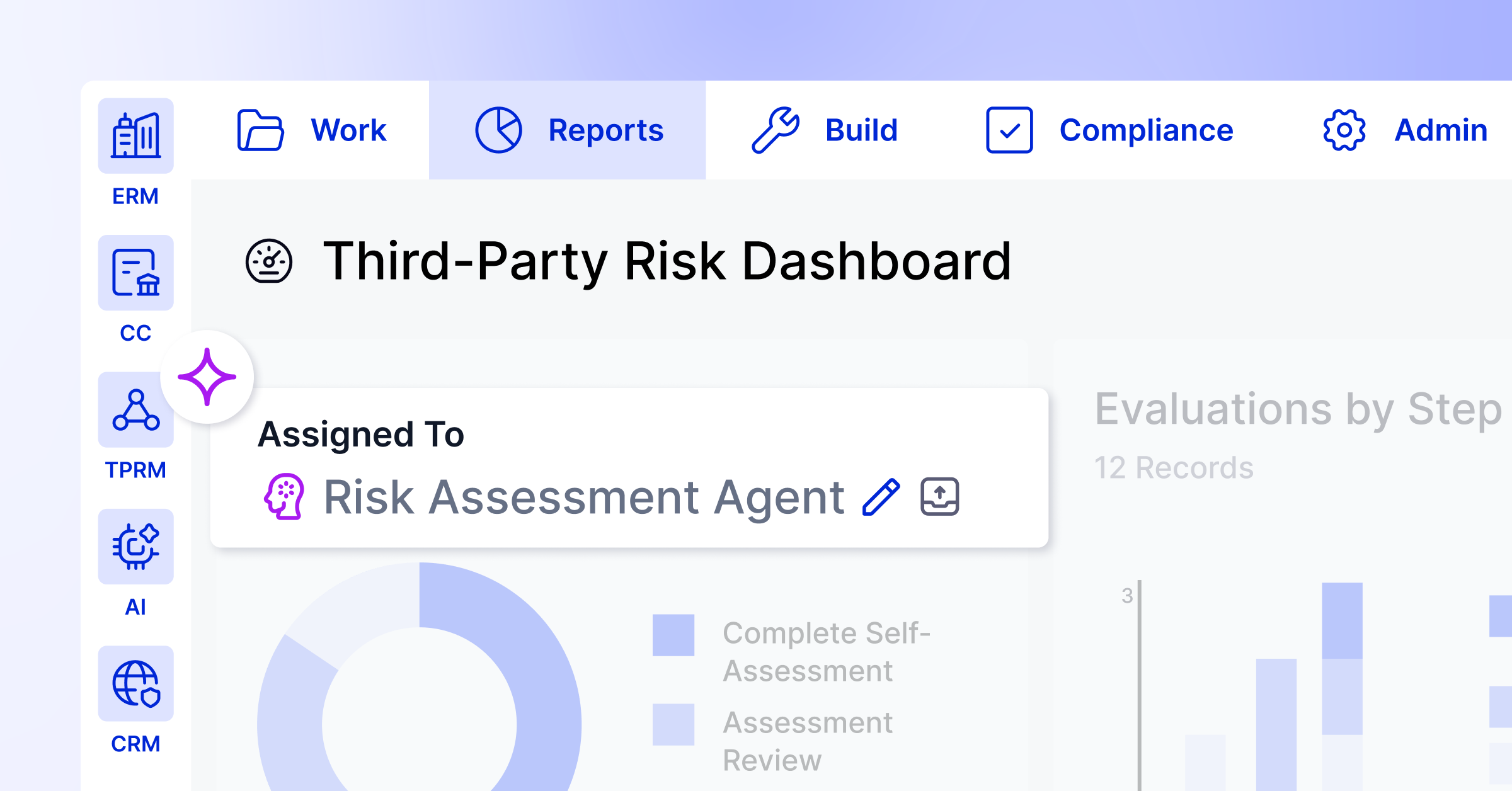
For example, third-party risk management agentic applications streamline processes across three areas:
- Third-Party Intake Agent: Reviews incoming requests and supporting documents, pre-fills vendor records, and automatically categorizes and routes vendors.
- Third-Party Assessment Agent: Evaluates vendor questionnaires and documents against risk frameworks, populates assessment rationales, identifies gaps, and generates downstream remediation findings.
- TPRM Insights Agent: Generates executive-ready dashboards and reports, offers an intuitive chat interface to query complex data, and dynamically flags high-priority vendors.
AI augments human judgment; it does not replace it. In regulated environments, people own high-stakes risk decisions, and agents handle high-volume, low-risk tasks with audit-ready outputs.
The NIST AI Risk Management Framework is a useful reference for governing that line. Capabilities to look for in an AI-enhanced GRC automation platform include:
- Autofill and content drafting: AI pre-populates forms and drafts initial content from context.
- Intelligent recommendations: AI suggests related records and next actions.
- Automated control testing: AI analyzes evidence and flags exceptions for human review.
- Natural language configuration: An AI configuration assistant interprets prompts to help build or optimize workflows.
How Do You Choose the Right GRC Automation Tools?
Not all automation platforms are equal. The right choice depends on your use case, technical resources, and long-term goals. Download the official GRC Buyer’s Guide for a full breakdown based on the current state of your program.
No-Code GRC Workflow Platforms
No-code tools let risk and compliance teams build workflows without writing code or waiting on IT. This helps GRC teams that must adapt quickly to new regulations and frameworks.
AI Agents and Intelligent Automation
AI agents handle high-volume, low-risk tasks under human oversight. Look for logged, explainable, audit-ready outputs, especially in regulated industries.
Connected Data and Integrations
Automation is only as powerful as the data it can reach. The best platforms connect risk, compliance, and audit data in one place, and integrate with your HRIS, ticketing, and cloud storage systems.
Use these criteria to compare platforms:
| Evaluation Criteria | What to Look For |
| No-code flexibility | Drag-and-drop workflow builders, configurable forms, AI builder assistance |
| AI capabilities | Autofill, triage, first-pass assessments, finding documentation, automated control testing, agent-based task delegation, data analysis, report building |
| Connected GRC data | Shared data across ERM, TPRM, compliance, audit, and more |
| Integrations | Pre-built connectors to common enterprise systems |
| AI Auditability | Logged actions, explainable outputs, compliance-ready records |
| Scalability | Ability to expand from one workflow to enterprise-wide |
What Are the Best Practices for GRC Process Automation?
A few principles consistently separate successful projects from stalled ones.
- Start with a well-documented process: Automation magnifies inefficiency, so fix a broken process first.
- Engage stakeholders early: Involve risk owners, control owners, and auditors from the start, because adoption depends on buy-in.
- Maintain human oversight: Keep people in the loop for exceptions and high-risk decisions.
- Build for auditability: Log and explain every automated action. The COSO internal control framework is a common reference point.
- Iterate and improve: Treat automation as continuous improvement, not a one-time project.
BCU’s Chief Security Officer, Stephenie Southard, said the credit union formalized its vendor risk, policy, and business continuity programs on LogicGate. The goal was to address National Credit Union Administration exam findings. In her words, the following year those same programs had zero exam findings.
What Pitfalls Should You Avoid When Automating GRC Workflows?
Even well-intentioned projects can go sideways. Watch for these common mistakes:
- Automating a broken process: Automation makes an inconsistent process fail faster.
- Skipping stakeholder buy-in: Control owners work around workflows they did not help shape.
- Over-engineering the first workflow: Start simple, then add complexity once value is proven.
- Ignoring change management: Training and communication are essential, and adoption will not happen on its own.
- Neglecting ongoing monitoring: Automated workflows still need oversight and tuning, so set alerts and review performance regularly.
How Do You Measure the ROI of GRC Process Automation?
Quantifying value helps justify investment and identify where to expand. The most common metrics are:
- Time saved per assessment, control test, or workflow
- Reduction in manual handoffs and follow-ups
- Improvement in process consistency and accuracy
- Faster audit preparation and evidence retrieval
- Increased capacity without added headcount
Deloitte’s Automation with Intelligence (Deloitte Review, issue 26) draws on its 2019 global intelligent automation survey. It found that organizations automating at scale had already reduced costs by 27 percent. Those organizations reported an average payback period of nine months, versus 15 months expected by organizations still piloting.
The same survey found that organizations with an enterprise wide automation strategy cut costs by 24 percent on average. Organizations without one cut costs by 14 percent. BCU is a credit union with over $6 billion in assets. It cut its critical business function review process by 50 hours annually after moving business risk analysis from a spreadsheet to automated workflows on LogicGate.
Tracking these over time shows what is working. It also builds the case for scaling automation to more GRC processes.
How Can You Scale GRC Process Automation With LogicGate?
LogicGate’s AI GRC platform lets teams automate and scale GRC workflows without writing code. It connects governance, risk, compliance, and audit in one environment. Workflow automation, automated control testing, and GRC Agents (with human oversight) handle high-volume tasks.
LogicGate was named a Leader in the IDC MarketScape: Worldwide Third-Party Risk Management Software 2026 Vendor Assessment (IDC doc #US53007725, September 2026). IDC Research Director Philip D. Harris wrote that LogicGate’s no-code philosophy “reduces professional services dependency, lowering total cost of ownership for self-sufficient risk teams.”
Ready to automate your GRC processes with features like automated control testing and AI agents? Request a demo today.
Frequently Asked Questions About GRC Process Automation
What Is the Difference Between GRC Workflow Automation, BPM, and RPA?
GRC workflow automation uses technology to run recurring risk and compliance tasks. BPM is a management discipline for improving processes. RPA uses software bots to mimic repetitive human actions on screen, and the three often work together.
Which GRC Processes Are Best to Automate First?
Start with high-volume, repetitive tasks that are well documented and follow clear rules. Vendor intake, evidence collection, control testing, and attestations are common starting points.
Do You Need Coding Skills to Automate GRC Processes?
No. No-code platforms let risk and compliance teams build and configure automated workflows without writing code. This speeds time-to-value and reduces IT dependency.
How Long Does It Typically Take to Automate a GRC Process?
Timelines depend on scope, approvals, and integrations. Team Select Home Care reported being up and running on LogicGate in three months. It now runs 15 use cases, most built by its own team.
Is GRC Process Automation Suitable for Regulated Industries?
Yes. Platforms designed for GRC provide audit trails, logged actions, and explainable outputs. These help meet regulatory requirements while keeping humans accountable for high-stakes decisions.